
Messages - Text SMS Home
Text Sticker Maker, Love Sticker, 4K WallpapersCommunication
0.00.00 Reviews
- Version
- 1.0.3
- Installs
- 10.00K
- Age Rating
- Everyone
Screenshots
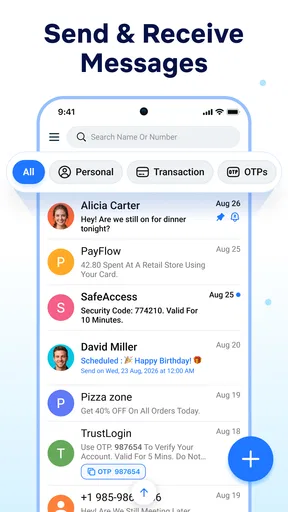
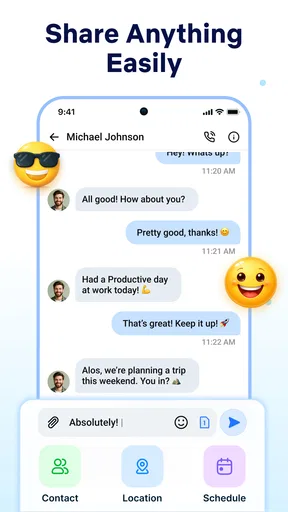
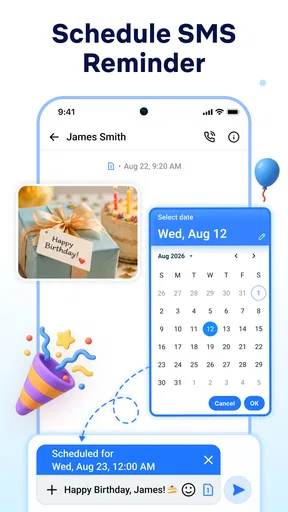
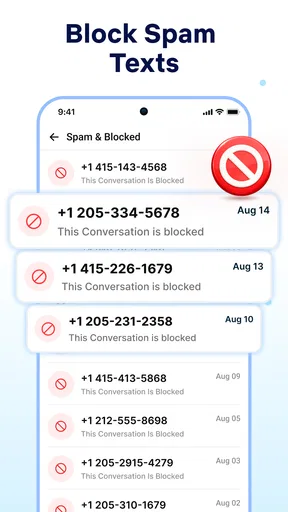
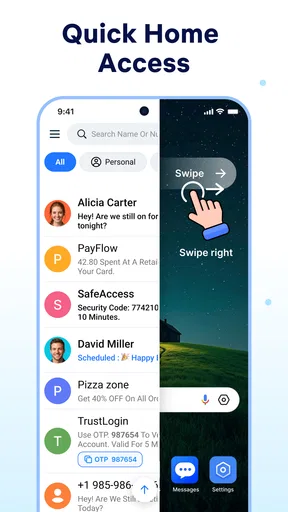
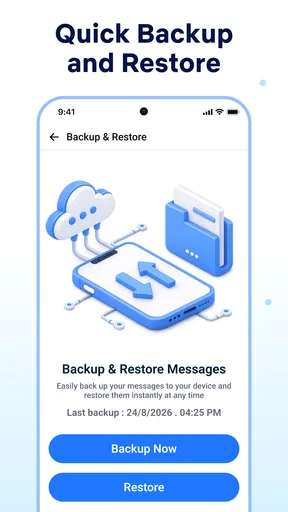
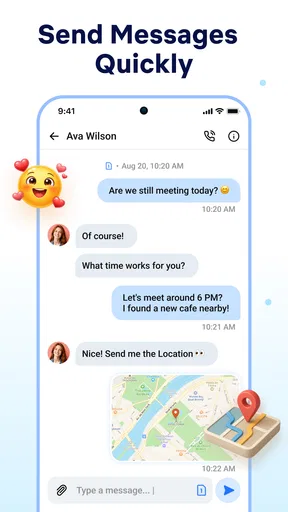
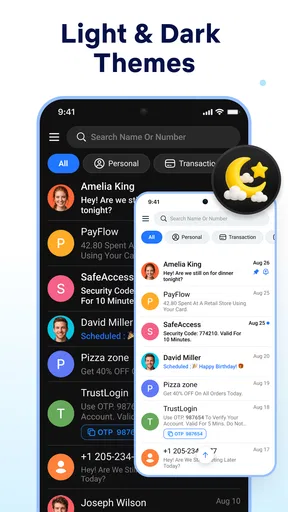
Our Review of Messages - Text SMS Home
 Analysis by Appyee
I approached Messages - Text SMS Home as a practical communication tool rather than another app I would open just to browse. Its purpose is straightforward: it puts SMS messaging at the center, adds a way to schedule messages, and gives conversations some organization through categories. That combination makes it interesting for people who still depend on regular text messages but want a cleaner routine than opening a crowded default inbox every time.
My first impression was that the app is aimed at reducing small points of friction. A normal messaging app is usually built around a continuous list of conversations, which works well when you only exchange a few texts. Once reminders, family updates, appointment messages, work contacts, and one-off notices start mixing together, finding the right thread becomes less comfortable. The category approach gives the experience a more deliberate shape, while scheduling is useful when the right message matters as much as the right words.
It is a free communication app from Text Sticker Maker, Love Sticker, 4K Wallpapers. The app is rated for Everyone, and the current version is 1.0.3. It requires Android 11 or newer, so compatibility is worth checking before attempting to install it. The app has passed the ten-thousand-install mark, which suggests that it is still a relatively small product rather than a long-established replacement for every major messaging service.
How the everyday messaging workflow feels
The sensible way to use this app is to begin with ordinary SMS conversations. I would not treat it as a social network, a chat community, or a replacement for internet-based services. Its value is in handling text messages with less clutter and in making planned communication easier to manage. If most of your contacts already use another chat platform, this will not magically bring those conversations into one place. Its focus is the traditional text-message workflow.
For a normal conversation, the habit is familiar: open the messaging interface, choose a contact or thread, write the text, and send it. The difference is the surrounding organization. Instead of allowing every conversation to compete equally for attention, categories can help separate the messages that need action from those that are merely informational. I found that this is most useful when applied selectively. Categorizing every single thread would turn organization into another chore; assigning useful groups to recurring areas of life is more practical.
A realistic example is a busy weekday. I might need to send a message to a family member in the morning, remind someone about an evening pickup, and prepare a work-related text that should go out later. With a conventional inbox, I would either send everything immediately or rely on my memory. The scheduling feature creates a third option: prepare the message when I am thinking clearly, then arrange for it to be sent at the appropriate time. That is a modest feature, but it can prevent late-night messages, forgotten reminders, and rushed typing.
I would still review every scheduled message before relying on it. A scheduled text is only useful if the recipient, wording, and timing are correct. This is especially important for messages involving changing plans. Scheduling is excellent for stable reminders and planned greetings, but less suitable for information that may become outdated before the send time. I see it as a planning aid, not an excuse to stop checking the details.
The app also makes sense for people who use SMS as a personal record. Text messages often contain delivery instructions, appointment details, access information, or short confirmations that are easy to lose in a long stream. Categories can make those threads easier to locate later. The benefit is not that the messages become more meaningful; it is that the surrounding workflow becomes easier to maintain.
Who benefits most from this approach
I think the strongest audience is someone who uses SMS regularly and wants a little more control over it. That includes people who send recurring reminders, families coordinating schedules, users who prefer planning messages in advance, and anyone who feels that a standard inbox becomes messy after a few weeks. It can also suit a person who wants a dedicated home for text messaging instead of treating SMS as an afterthought inside a general phone interface.
The app is less compelling for someone whose communication is almost entirely based on internet messaging. If your important conversations happen through services with richer media, group tools, reactions, voice features, or desktop synchronization, a focused SMS app may feel limited. It is also not the obvious choice for a person who never schedules messages and has only a handful of active text threads. In that situation, the default messaging app may already be quicker because it requires no change in habit.
There is another practical consideration: moving to a different messaging app can create a short adjustment period. Even when the basic action of sending a text is familiar, the placement of categories and scheduling controls may change how quickly you perform routine tasks. I would give it a few days of normal use before judging it. The app’s advantages appear in repeated workflows, not necessarily in a single quick message.
Settings and preparation that are worth checking
Before making it the main SMS tool, I would spend time reviewing the available settings and the way conversations are presented. The most important question is not whether the interface looks attractive; it is whether the app behaves in a way that matches your daily rhythm. Check how easily you can reach a new message, how clearly scheduled messages are distinguished from sent ones, and whether categories remain understandable when several threads are active.
Categories deserve a simple naming strategy. I would use broad labels that reflect decisions I make, such as family, work, appointments, or reminders, rather than creating a separate label for every person. The point is to reduce searching. If a category only contains one conversation and never helps me choose what to open next, it is probably unnecessary. This is one of the less obvious trade-offs: organization improves visibility, but too much organization can slow down the same inbox it was meant to simplify.
Scheduling also benefits from a personal rule. I would prepare messages in batches when I have time, but I would avoid scheduling sensitive or rapidly changing information too far ahead. A short reminder about a fixed event is a good candidate. A message dependent on traffic, availability, or a last-minute decision is not. This distinction keeps the feature useful without turning it into an unreliable autopilot.
Because the app requires Android 11 or newer, I would check the operating system before planning a switch. That requirement makes the app unsuitable for older phones that cannot meet it. For compatible devices, I would also make sure the app is comfortable to use as the regular SMS interface before moving completely away from the previous one. The decision should be based on how dependable the complete routine feels, not just on the presence of scheduling.
The age rating of Everyone makes the app approachable for a broad audience, but that does not remove the need for ordinary communication judgment. A parent, older relative, or less technical user could understand the basic purpose, especially if categories are kept simple. However, anyone helping another person set it up should demonstrate the difference between sending now and arranging a later send. That single distinction prevents many avoidable mistakes.
Repeatable patterns that make it faster
The quickest users will probably not be the ones who explore every option. They will be the ones who build a repeatable pattern around the features that genuinely save time. My preferred pattern would be to sort only high-value conversations, prepare predictable messages during a quiet moment, and use the main messaging screen for everything else. This keeps the app from becoming a second task-management system.
One useful habit is to write scheduled messages with enough context to stand alone. Instead of composing a vague note such as “Don’t forget,” I would include what the recipient needs to remember and when it matters. That makes the message more useful if the recipient reads it later than expected. It also reduces the temptation to open the app again just to clarify what the original reminder meant.
A second pattern is separating planning from reacting. When I receive a message that requires a response at a particular time, I can prepare the answer while the details are fresh rather than waiting until the deadline. This is especially helpful for routine coordination. The trade-off is that scheduled communication should not replace a real-time response when the other person is waiting for confirmation.
A third pattern is using categories as a review queue. I would periodically open the category that contains appointments or reminders, check whether those conversations are still relevant, and remove the mental clutter created by old plans. Even without inventing extra features, this simple review habit gives the categories a purpose beyond decoration. It turns the app into a lightweight communication dashboard.
For people who send repeated types of texts, consistency in wording can also save time. I would create my own mental templates for delivery updates, family reminders, or meeting confirmations, then adapt them rather than starting from a blank screen every time. The app’s scheduling and categorization work better when paired with this kind of human routine. The application organizes the process, but it does not replace the judgment needed to make each message appropriate.
I would avoid putting every conversation into a category immediately. That creates maintenance work before the app has proved its value. A better test is to begin with one area that causes real friction, such as appointment-related texts. If locating those messages becomes easier, expand gradually. This approach also makes it easier to decide whether the app is genuinely improving the workflow or merely adding another layer to it.
Where the advantages stop
The app’s focused design is also its main limitation. SMS is dependable for basic text communication, but it does not offer the same experience as a full internet messaging platform. People who need rich media, large group conversations, live presence indicators, or broad cross-device communication should look elsewhere for those needs. Messages - Text SMS Home is better understood as a more organized home for texting, not as a universal communication hub.
Scheduling introduces its own responsibility. A message sent at the wrong moment can be more awkward than a message forgotten altogether. I would be cautious with time zones, changing appointments, and conversations where the recipient expects a personal, immediate reply. I would also avoid relying on a scheduled message as the only reminder for something important. The feature can support a routine, but it should not be treated as a guarantee that every circumstance will remain unchanged.
Categories can become a weakness when they are too detailed. If I have to stop and decide between several nearly identical groups before opening a thread, the organization is working against speed. Broad categories are easier to remember and more likely to remain useful. This is an important trade-off compared with a plain default inbox: the app can offer more structure, but that structure only helps when it reflects real decisions.
There is also a learning cost when comparing it with the usual alternatives. A phone’s built-in messaging app generally wins for immediate familiarity. A popular internet messenger usually wins for multimedia and group interaction. Messages - Text SMS Home occupies a narrower middle ground: it is for users who want SMS at the center, but who also want scheduling and categories to influence how they manage conversations.
I would skip it if my priority were a single platform for every contact, a desktop-first workflow, or advanced collaborative communication. I would also skip it if my current SMS app already handles my conversations comfortably and I never plan messages in advance. Switching apps has value only when the new routine solves a problem I actually experience.
My verdict after building a routine around it
After looking at the app as a daily tool rather than judging it by its short description, I see a clear and modest purpose. It takes ordinary SMS and adds two practical layers: planning through scheduled messages and retrieval through categories. Neither feature changes what a text message is, but together they can make texting feel less reactive and less cluttered.
The best results come from restraint. I would categorize only conversations that I revisit, schedule only messages with stable timing, and keep a manual check for anything important. Those habits address the app’s main risks while preserving its strongest benefit: reducing the number of small decisions I have to make when communicating throughout the day.
Its free price makes experimentation easy, and the Everyone rating gives it a broad audience, but compatibility still matters because Android 11 is the minimum operating system. The developer is Text Sticker Maker, Love Sticker, 4K Wallpapers, and the app is currently at version 1.0.3. With over ten thousand installs, it is not presented as an unavoidable standard; I would approach it as a focused option for a specific SMS habit.
My recommendation is simple: try it if scheduled texts and a crowded SMS inbox are genuine problems for you. Start with one category and one repeatable scheduling use case, then see whether the app saves effort after the novelty wears off. If your communication needs are richer than SMS or your current messaging tool already feels effortless, the usual alternative may remain the better choice. For the right user, though, Messages - Text SMS Home can make everyday texting more deliberate without making it unnecessarily complicated.
Verdict
Strengths of Messages - Text SMS Home
- Clean, familiar layout makes everyday texting easy to navigate.
- Supports quick access to conversations from the home screen.
- Useful customization options for chat appearance and message handling.
- Lightweight design can work well on older Android devices.
- Conversation threads are organized clearly for fast message lookup.
Limitations of Messages - Text SMS Home
- Some features may depend on your phone’s default SMS permissions.
- Not ideal for encrypted or highly private conversations.
- Advanced messaging features may vary by carrier and device.
- Notification behavior can require manual adjustment in system settings.
- The app may feel limited compared with feature-rich messaging platforms.
Similar Picks in This Category
View All
Google Messages
Google LLC4.6

Gmail
Google LLC4.1

Google Meet
Google LLC4.4

Google Chrome
Google LLC4.1

WhatsApp Messenger
WhatsApp LLC4.6

Carrier Services
Google LLC4.2
Frequently Asked Questions
What is Messages - Text SMS Home, and what can I use it for?
Messages - Text SMS Home is an Android messaging application designed for sending and receiving traditional SMS and MMS messages. After installing it, users can manage conversations, reply to contacts, attach photos or other media where supported, and organize their inbox from a single interface. It is mainly intended for standard mobile texting rather than internet-based messaging services such as WhatsApp or Messenger.
Does Messages - Text SMS Home require an internet connection?
The app primarily uses your mobile carrier’s SMS and MMS services, so a constant internet connection is not normally required for standard text messages. However, your device must have an active SIM card, cellular coverage, and a messaging plan that supports SMS or MMS. Sending multimedia messages may depend on mobile data or carrier settings, and any applicable carrier charges can still apply.
Is Messages - Text SMS Home free to download and use?
The application may be available to download without an upfront cost, but using it to send texts is not necessarily completely free. SMS and MMS messages are handled by your mobile network provider, meaning charges may depend on your plan, prepaid balance, roaming status, or message allowances. Before sending large attachments or texting internationally, check your carrier’s pricing.
What permissions does Messages - Text SMS Home need?
As a messaging app, Messages - Text SMS Home may request access to SMS messages, contacts, notifications, phone-related information, and media files. These permissions allow it to display conversations, identify contacts, notify you about new messages, and attach photos or other content. Review each permission carefully during setup and avoid granting access that does not seem necessary for the features you plan to use.
Can Messages - Text SMS Home replace my phone’s default messaging app?
In many Android versions, the app can be selected as the default SMS application, allowing it to handle incoming and outgoing text messages instead of the preinstalled messaging tool. You should confirm that it supports the features you rely on, such as MMS, group conversations, notifications, and message backup. If you switch apps, follow the setup instructions carefully so messages continue appearing correctly.
